Interactive Protect is a feature of Workshare Professional and Protect versions 8 and 9. It offers options to control documents and secure attachments before sending email.
Interactive Protect looks like this:
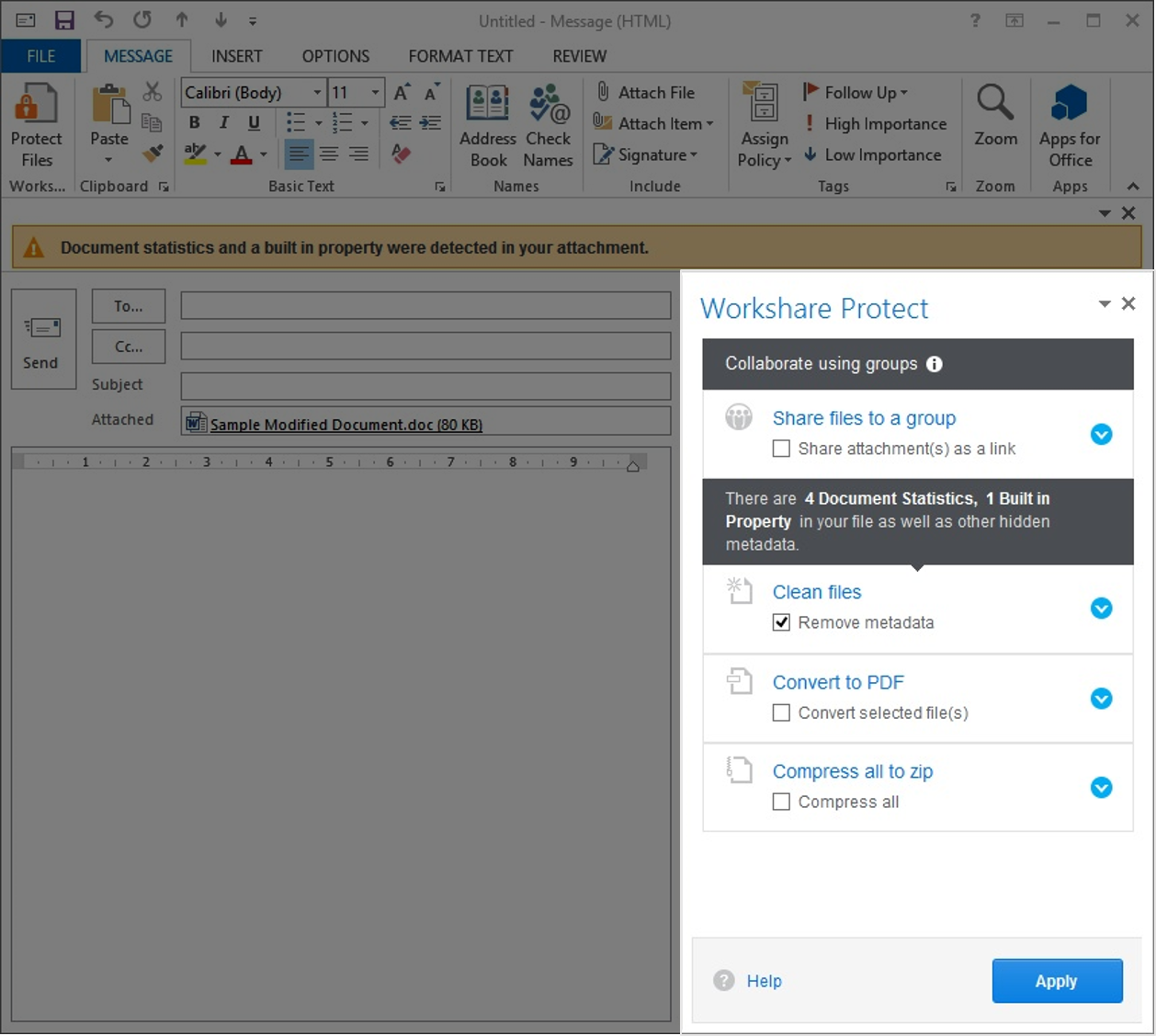
To work with Interactive Protect, open Outlook and create a new email. Attach one or more files. Immediately the Interactive Protect panel opens on the right side of your email, as pictured above. Using the options in the panel, you can clean metadata from the attachments, convert them to PDF and compress them to a zip file -- all before sending the email. Additionally, you can share the attachments via Workshare Connect. After selecting your options, click
Apply.
Interactive Protect is turned on by default for Workshare Professional and Protect versions 8 and 9.
You can find more information about Interactive Protect in the
Workshare Professional 8 User Guide and the
Workshare Professional 9 User Guide.


